
Operations guide
Reservations, check-in, and guests
Create, confirm, check in/out, and keep guest profiles in one flow—without jumping between spreadsheets.
Audience: Front desk, managers
StayLedger PMS
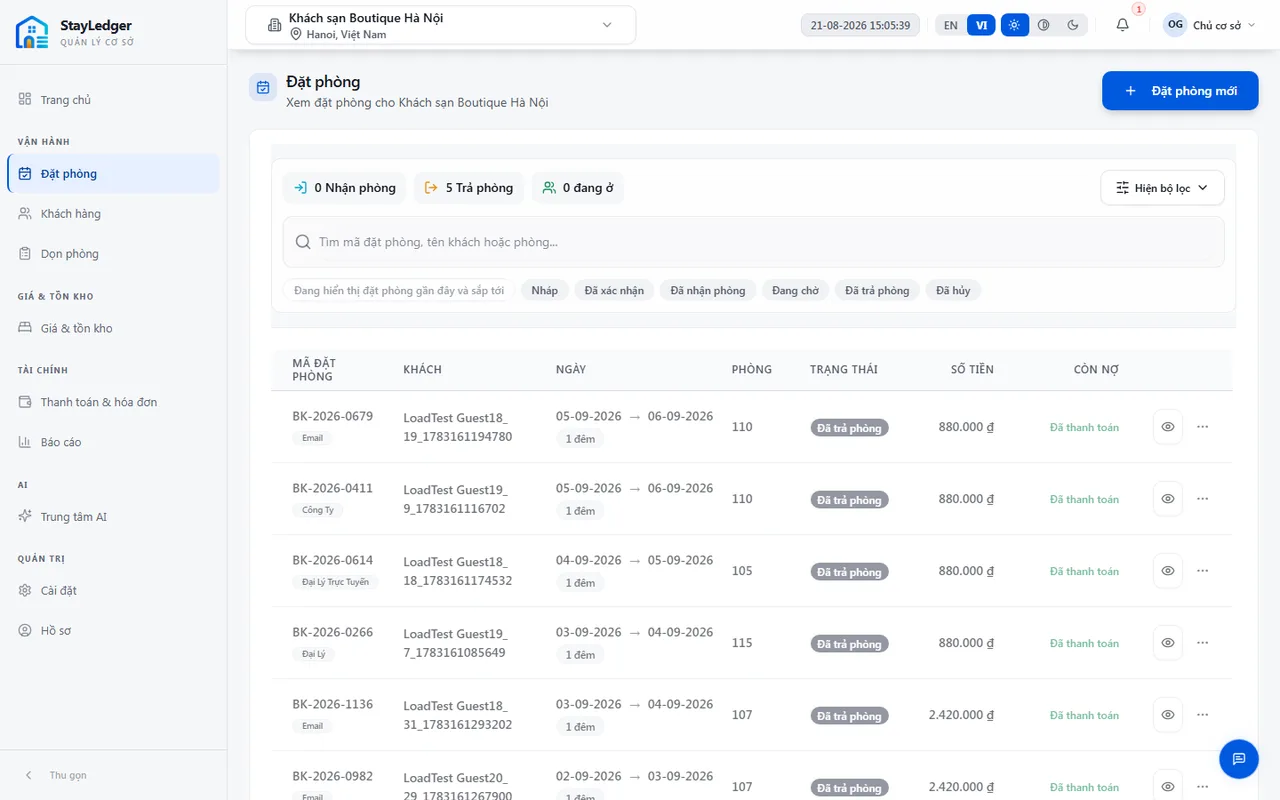
How to
- Open Bookings → create a booking: stay dates, room type, guest, and rate plan.
- Confirm when the hold is firm. Cancel or mark no-show when the guest does not arrive—cancel cannot be undone.
- Before check-in, review Housekeeping or the room matrix. The check-in dialog only lists Clean rooms.
- Assign a room at check-in if needed. Deposit fields on the dialog do not record a payment—use Finance when you have permission.
- ID photos (if enabled for the property) are evidence only; names and ID numbers are typed by staff. OCR is not the standard process.
- Check out when the guest leaves; housekeeping tasks may be created. Guest profiles live under Guests (search and CSV by permission).
Notes
- STAFF can typically check in/out but cannot post payments—ask a manager or accountant.
- Never check in against the wrong property.
This is the public website summary. The full training manual (with shift screenshots) is shared during onboarding.