
Operations guide
Get started with StayLedger PMS
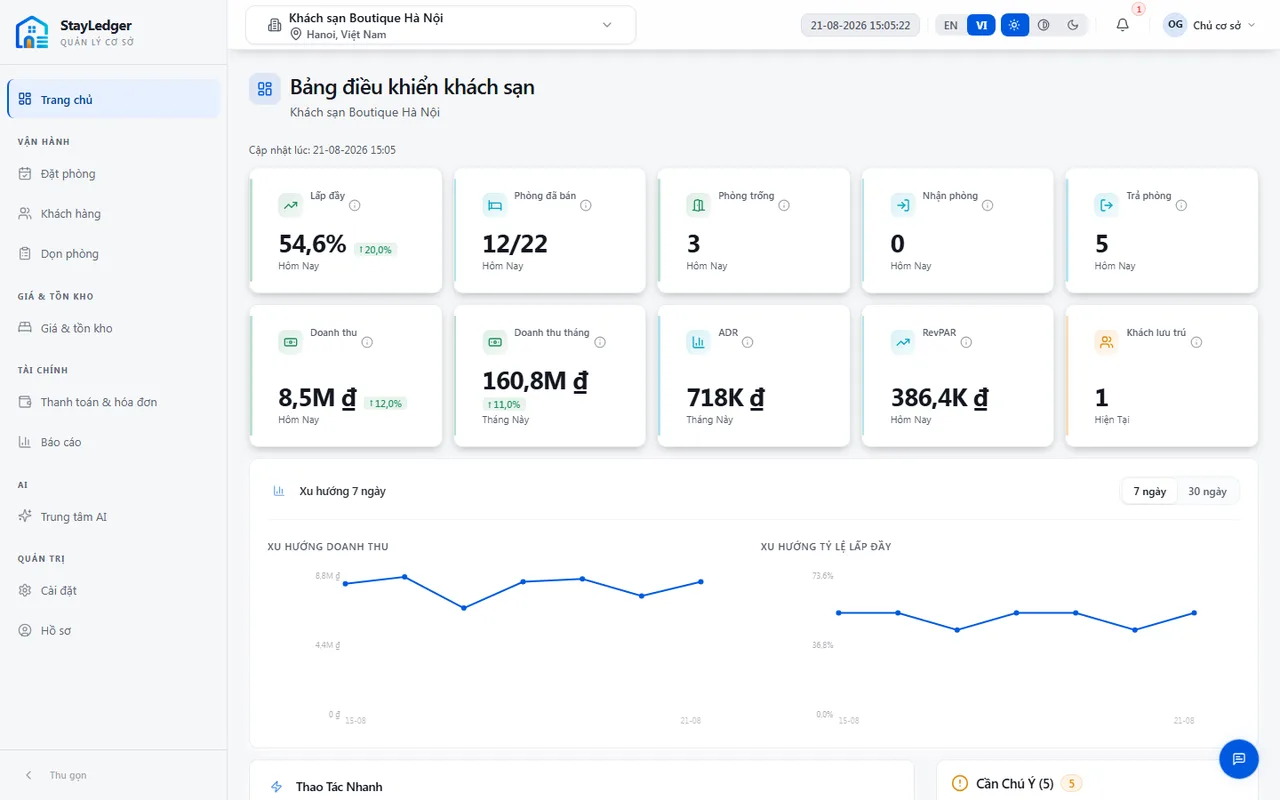
Sign in from a browser, pick the right property, then use the dashboard for today’s arrivals, departures, and work items.
Audience: Owners, managers, front-desk staff
StayLedger PMS
How to
- Open the PMS URL StayLedger provides (app.stayledger.io) and sign in with an invited email.
- If your account has more than one property, select it in the header before recording bookings or payments.
- Use the dashboard for today’s check-ins/check-outs, in-house guests, and operational alerts.
- Switch language (VI/EN) and theme (dark/light) in the header or profile — the browser remembers the choice.
- Sign out from the profile menu on a shared computer.
Notes
- Every action applies only to the currently selected property.
- A missing menu item usually means missing permission, not a login failure.
This is the public website summary. The full training manual (with shift screenshots) is shared during onboarding.